
Send My Result
Tournament score guide: submit match results online or report offline, update faster time trial laps, and upload screenshots to verify your score with proof.
1vs1 & Team Tournaments
For Online Tournaments
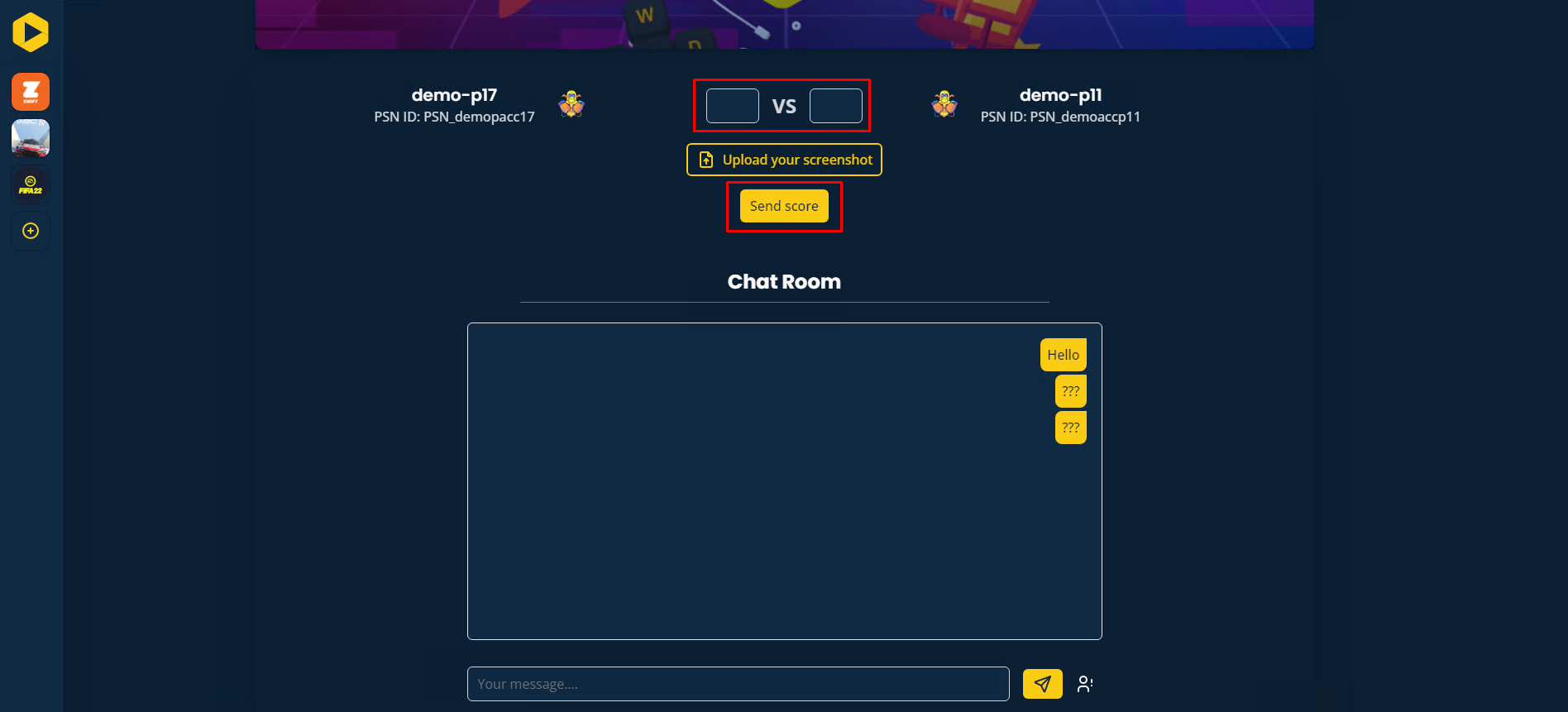
In the match room, you have the option to submit your score along with a screenshot as proof. Even if the screenshot is not mandatory, it is strongly recommended for verification purposes.
- Enter your match score in the provided field.
- Click the send button to submit your results.
For Offline Tournaments
If you are participating in an offline tournament, kindly report your score directly to the admin present at the event.
Time Trial Tournaments (WRC, etc.)
For Online Tournaments
In Time Trial events, you have the flexibility to update your recorded time during the competition. You can resubmit your time whenever you achieve a faster lap.
- Select the game and tournament you are participating in.
- Navigate to My Laps in the tournament menu to access the score submission interface.
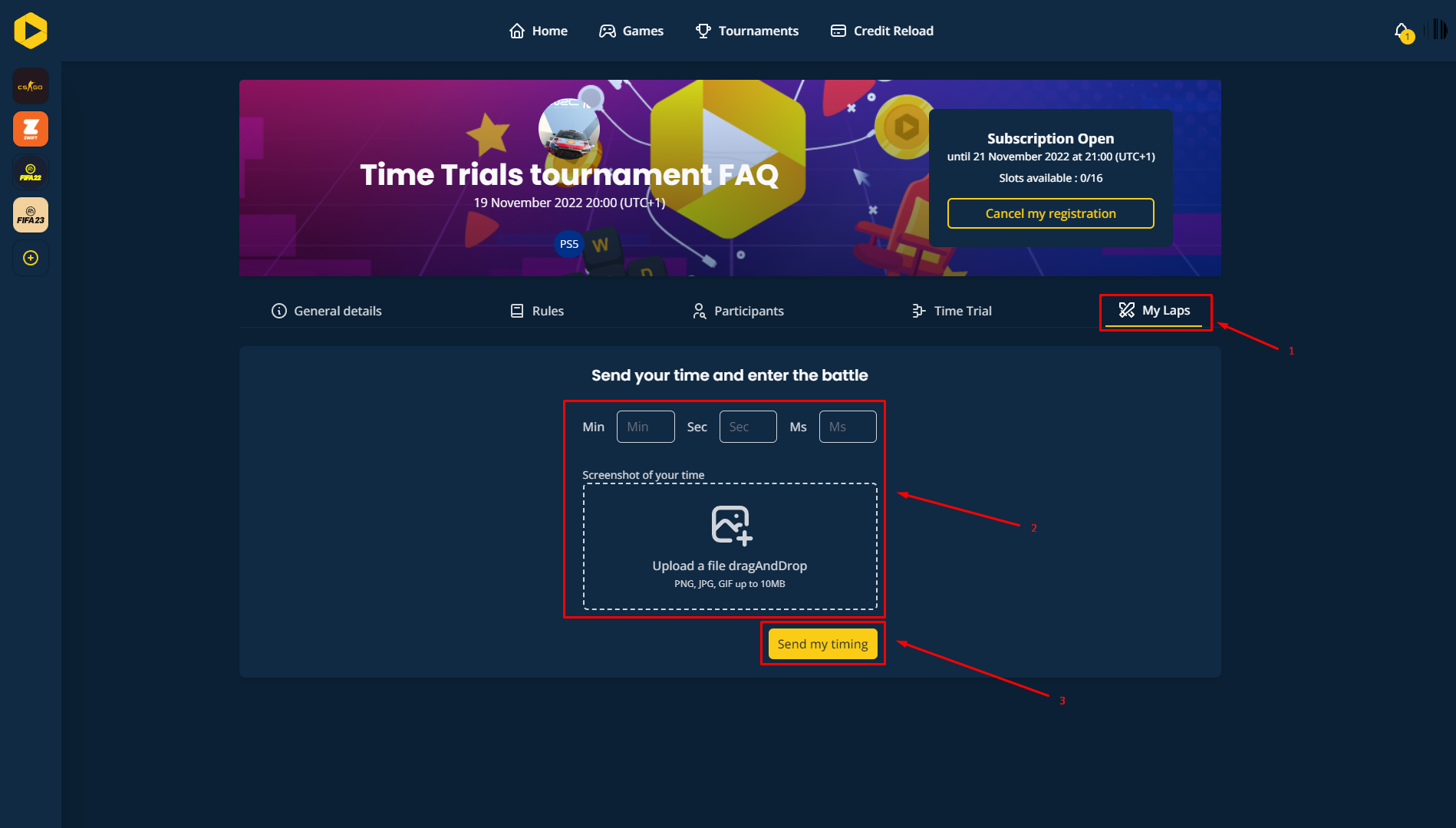
- Enter your new lap time and upload a screenshot.
- If your submission status shows Pending, it means your time has been received and is awaiting validation by an admin.
Remember, it’s crucial to regularly update your time for the best results on the leaderboard.
Want to go further?
If this guide covered it, great. Want to dig deeper? The team is one message away.

