
Call An Admin During The Tournament
Tournament admin help: Call an admin from your match room, confirm they are notified, then wait for support. They can also review your entire chat history too.
Contacting an Admin During a Tournament
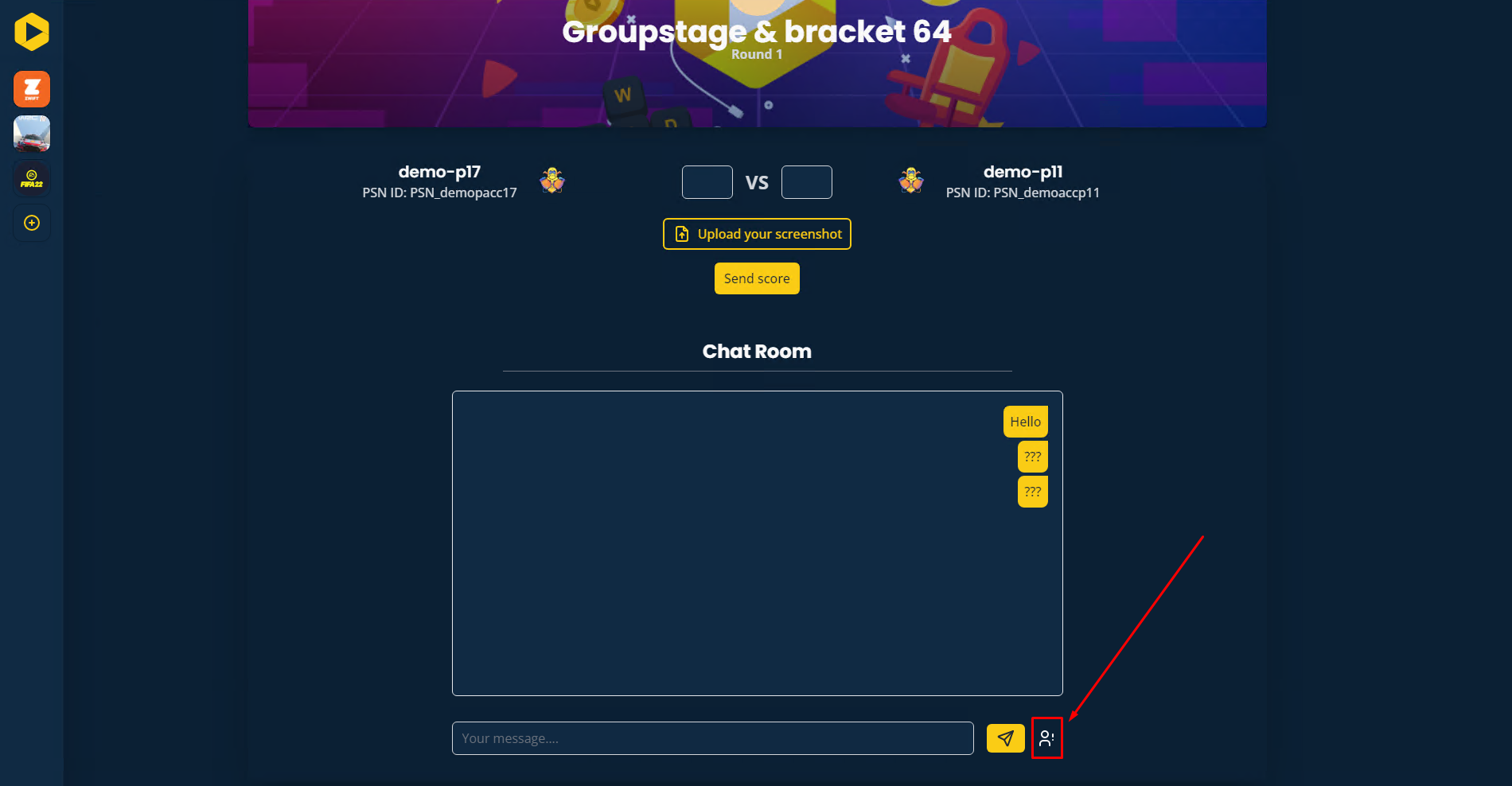
While participating in a tournament, it's important to contact an admin only when absolutely necessary. You can request assistance directly from the match room.
How to Call an Admin
- In your conversation with your opponent, you can call an admin directly from the match room interface.
- After requesting admin support, you will receive confirmation that an admin has been notified.
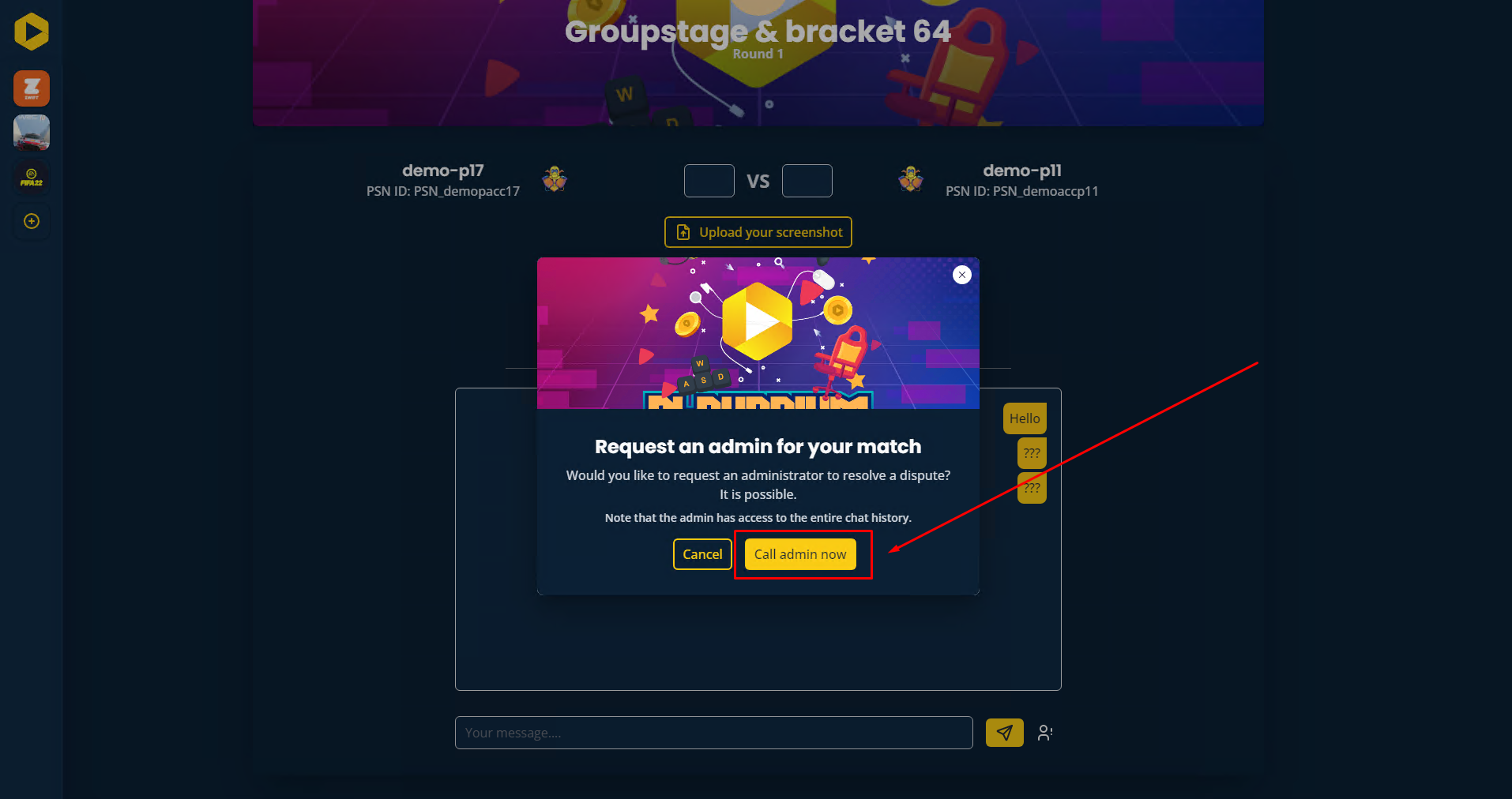
- Please wait a few minutes for the admin to join the conversation.
Admin's Perspective
The admin will be able to review the entire conversation history between you and your opponent, including messages sent before you requested assistance.
Want to go further?
If this guide covered it, great. Want to dig deeper? The team is one message away.

