
How Do I Join A Tournament ?
Join a Playorium tournament in minutes: register from the homepage or tournament page, confirm any entry fee, top up Coins if needed, and get confirmation.
Method 1: Via the Homepage
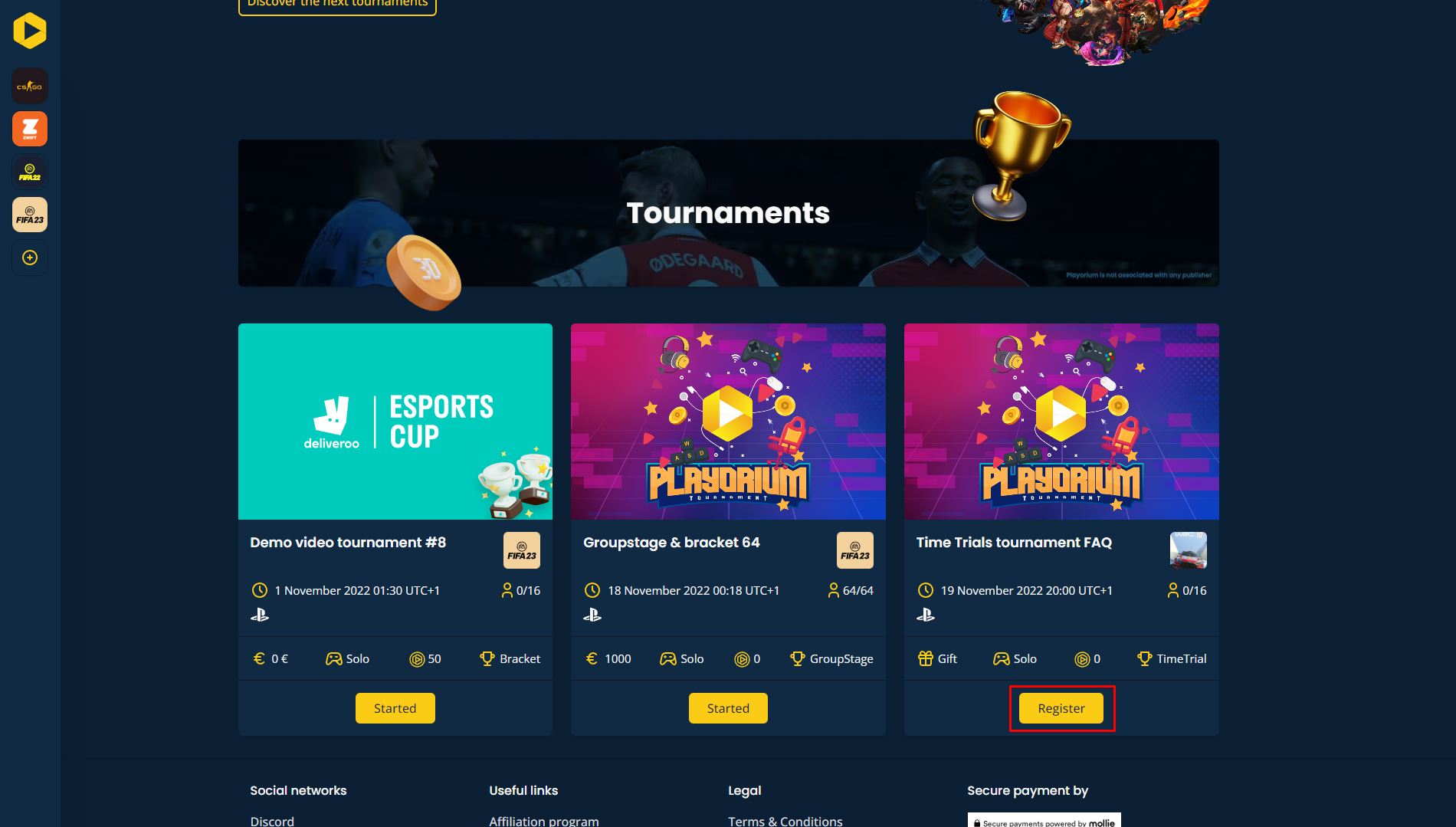
- Locate the tournament you wish to join and click the Register button in the tournament information section.
- A pop-up will appear asking you to confirm your registration. If the tournament requires a fee, the applicable amount will be automatically deducted from your account. If you don't have enough Coins, you will be prompted to top up your balance.
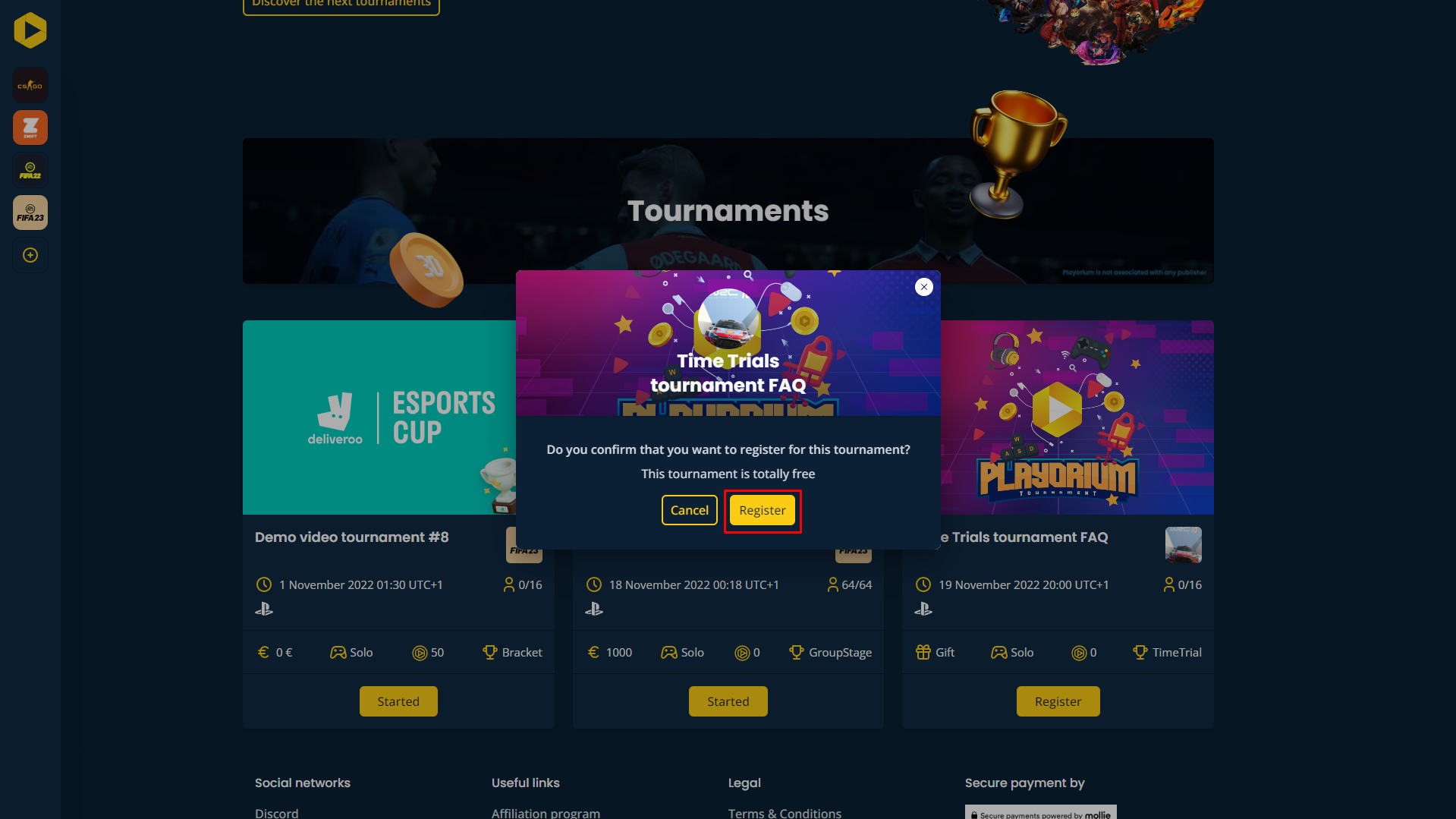
- After you register successfully, you will receive a confirmation message from us.
Method 2: Via the Tournament Page
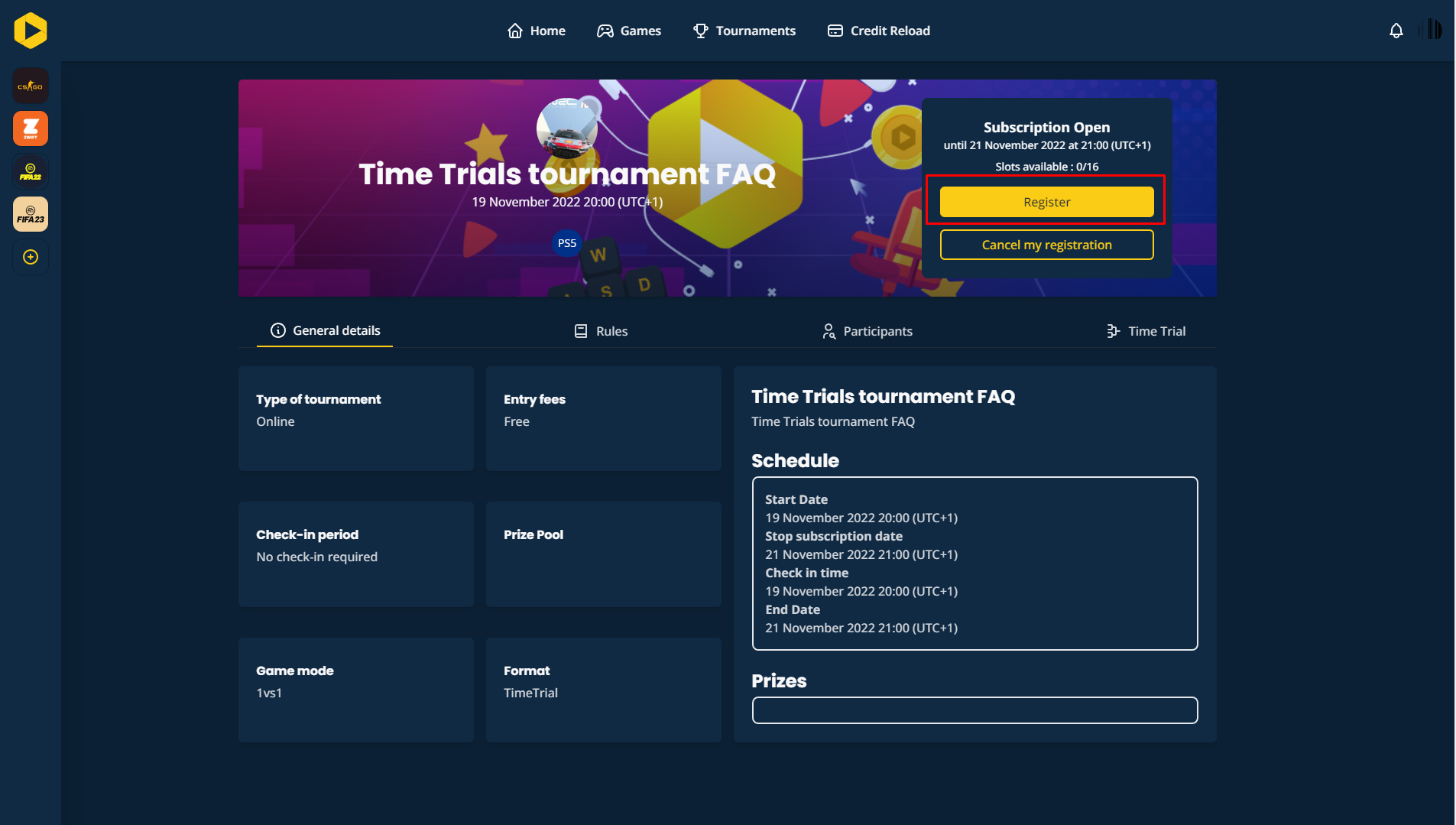
- Go to the tournament page and click the Register button.
- As with registration via the homepage, a pop-up will ask you to confirm your registration. If the tournament requires a fee, it will be deducted from your account balance. If your balance is insufficient, you will need to top it up.
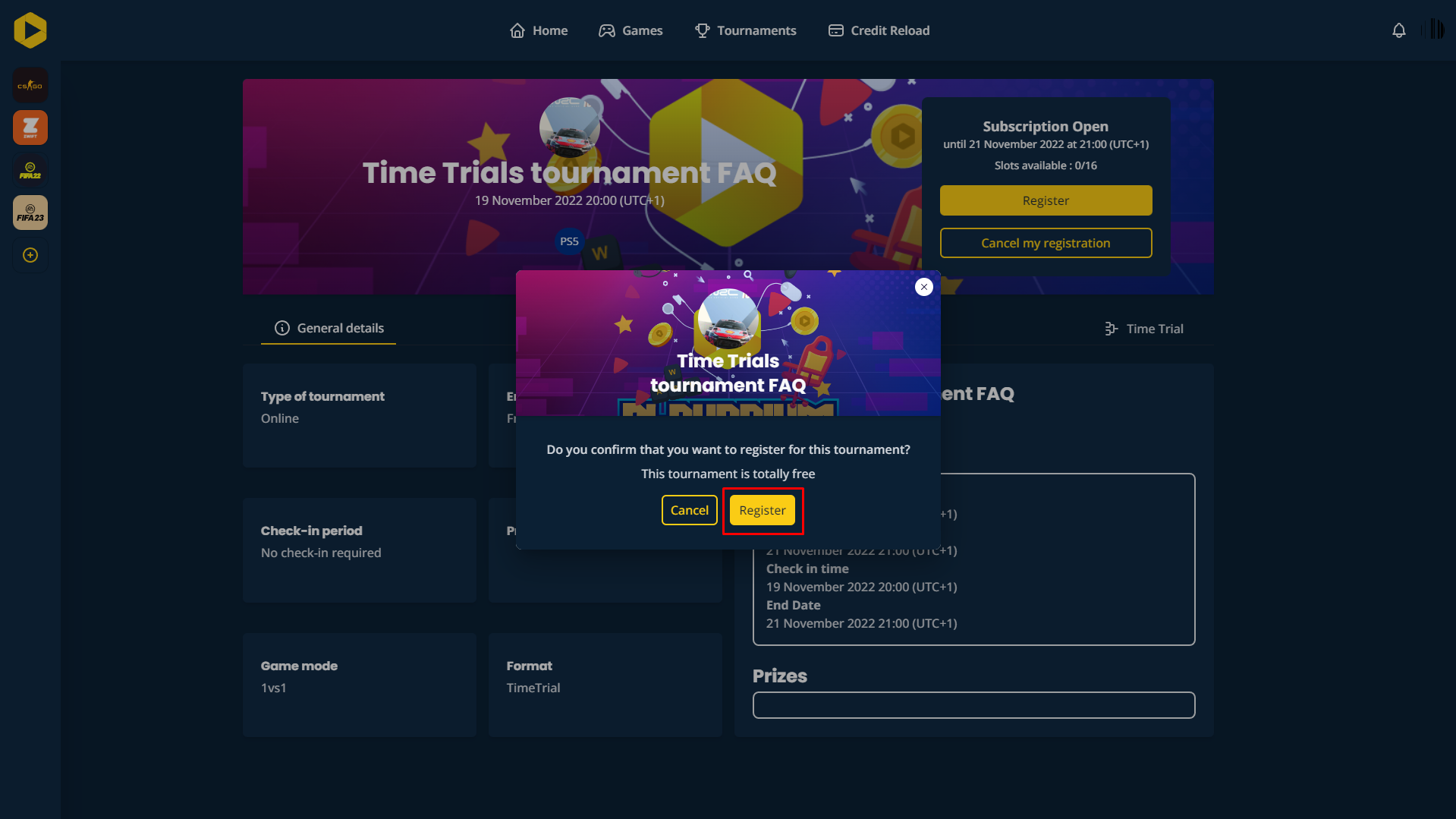
- You will receive a message from us confirming your participation in the tournament.
Want to go further?
If this guide covered it, great. Want to dig deeper? The team is one message away.

