
Confirm A Result
Match results: Confirm or reject online scores within 5 minutes in Score review; offline players report results to event admins for confirmation and records.
1vs1 & Team Tournaments
For Online Tournaments
- Navigate to the match room for your current match.
- In the match room, you will see a Pending status indicating that the match result is awaiting confirmation. You have 5 minutes to confirm or reject the result.
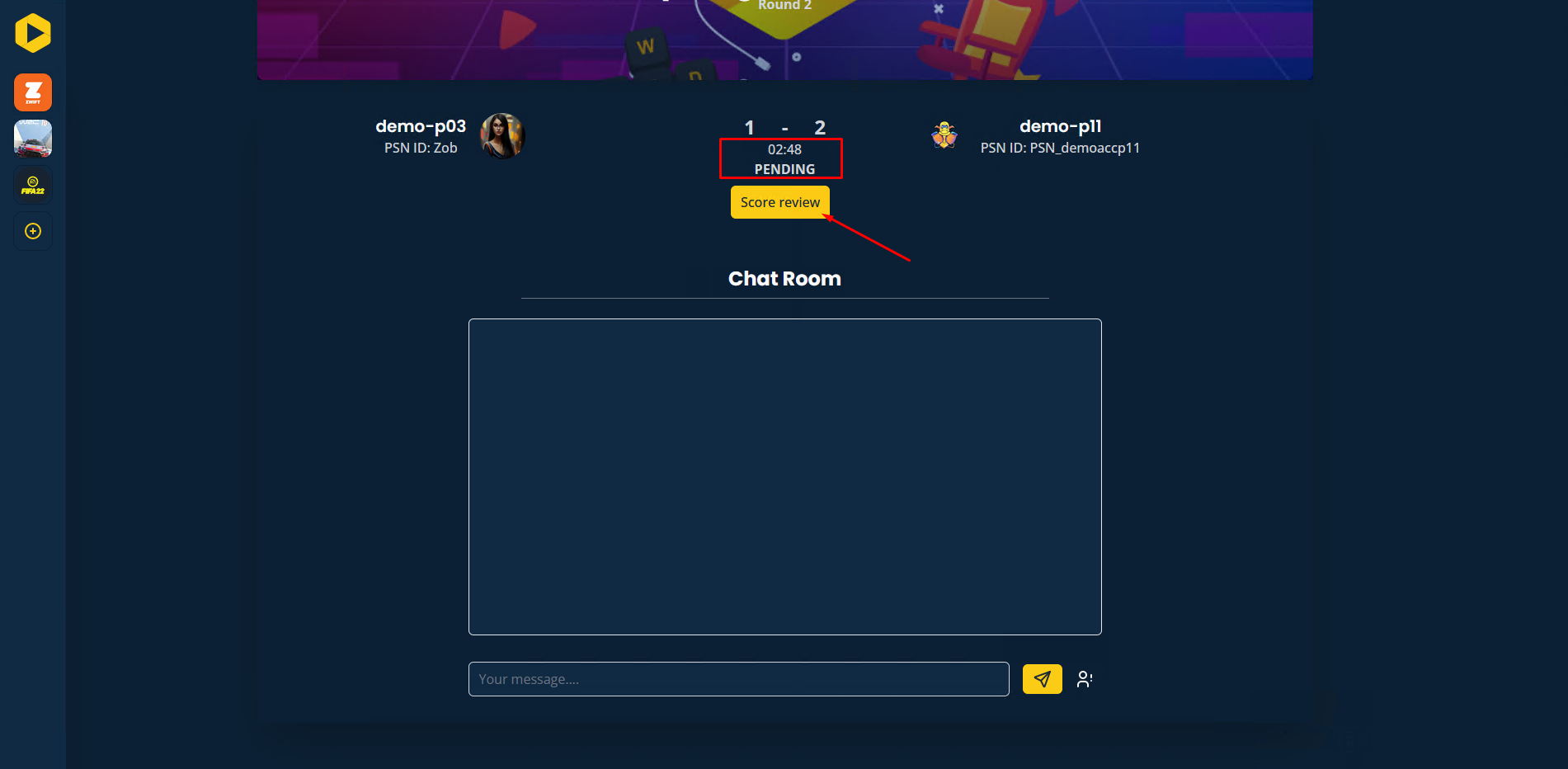
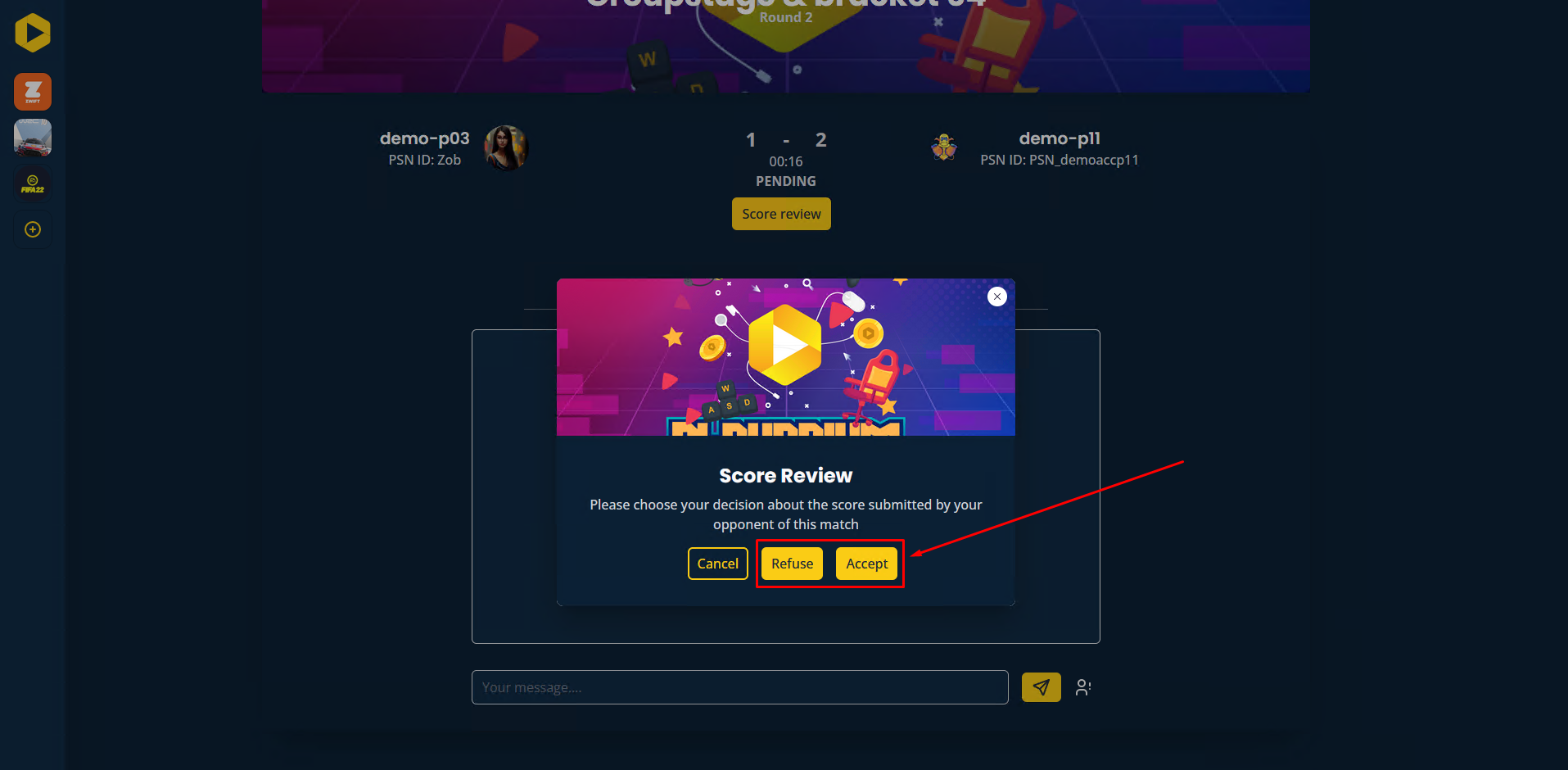
- To make your decision, click on Score review. This will open a pop-up window where you can confirm or reject the reported score.
For Offline Tournaments
For offline tournaments, scores should be submitted directly to the admin attending the event. They will handle the confirmation and recording of match results.
Want to go further?
If this guide covered it, great. Want to dig deeper? The team is one message away.

