
Contesting A Result After Confirmation Of The Result
Contest tournament results: challenge online outcomes within 5 minutes, submit a reason, and get an admin decision in 3. Contact admins for offline disputes.
Contesting Match Results in Tournaments
1vs1 & Team Tournaments
For Online Tournaments
In the My Matches tab, you have the option to contest a result, whether it has been validated or not.
Important: You can only contest a result within 5 minutes after your opponent has submitted the result and 5 minutes after it has been automatically or administratively validated.
How to Contest a Result
- Go to the My Matches tab and click on Report Result to contest the outcome.
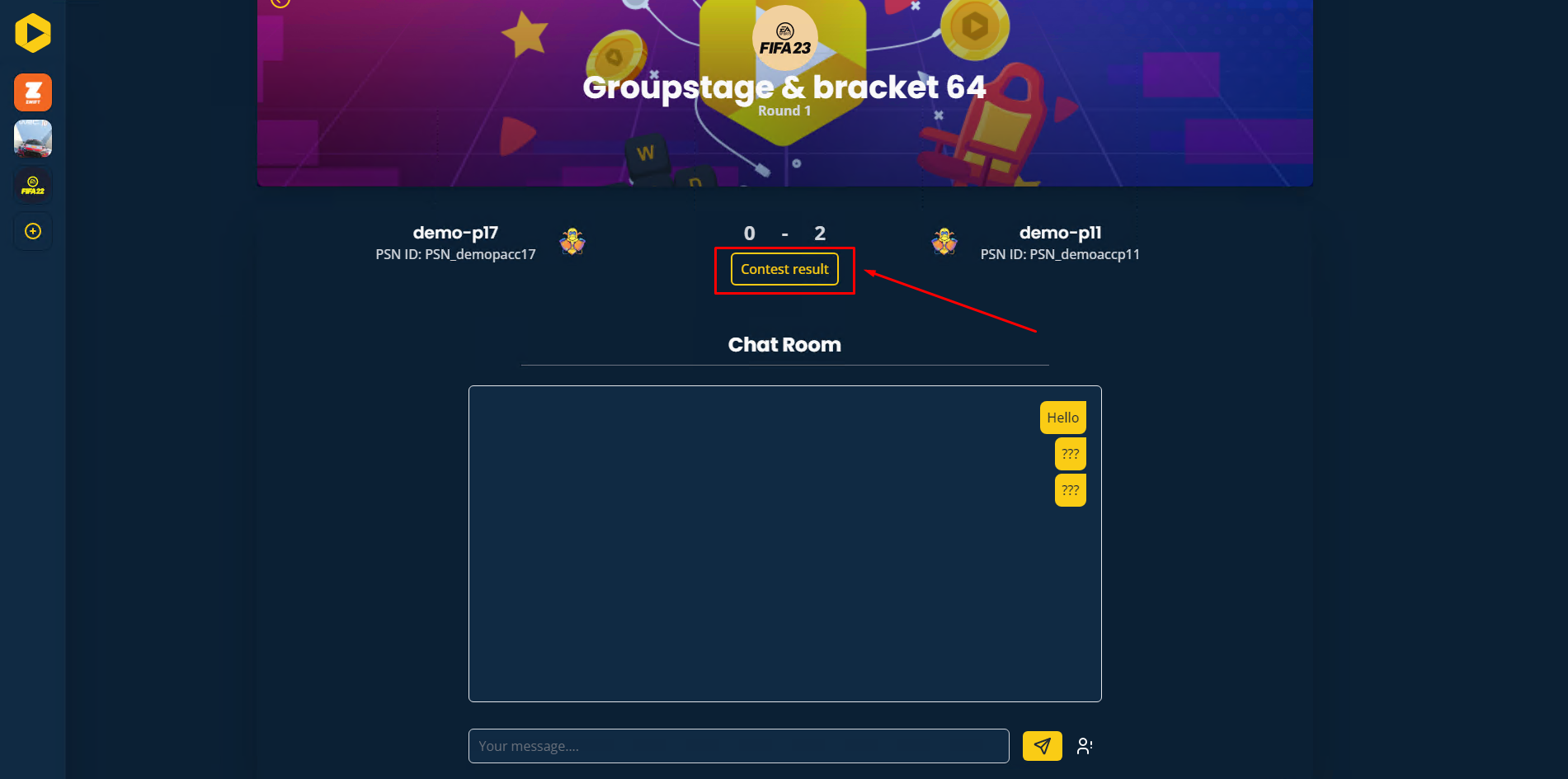
- A pop-up will appear for you to provide the reason for the contest. Once you've entered your reason, click Send.
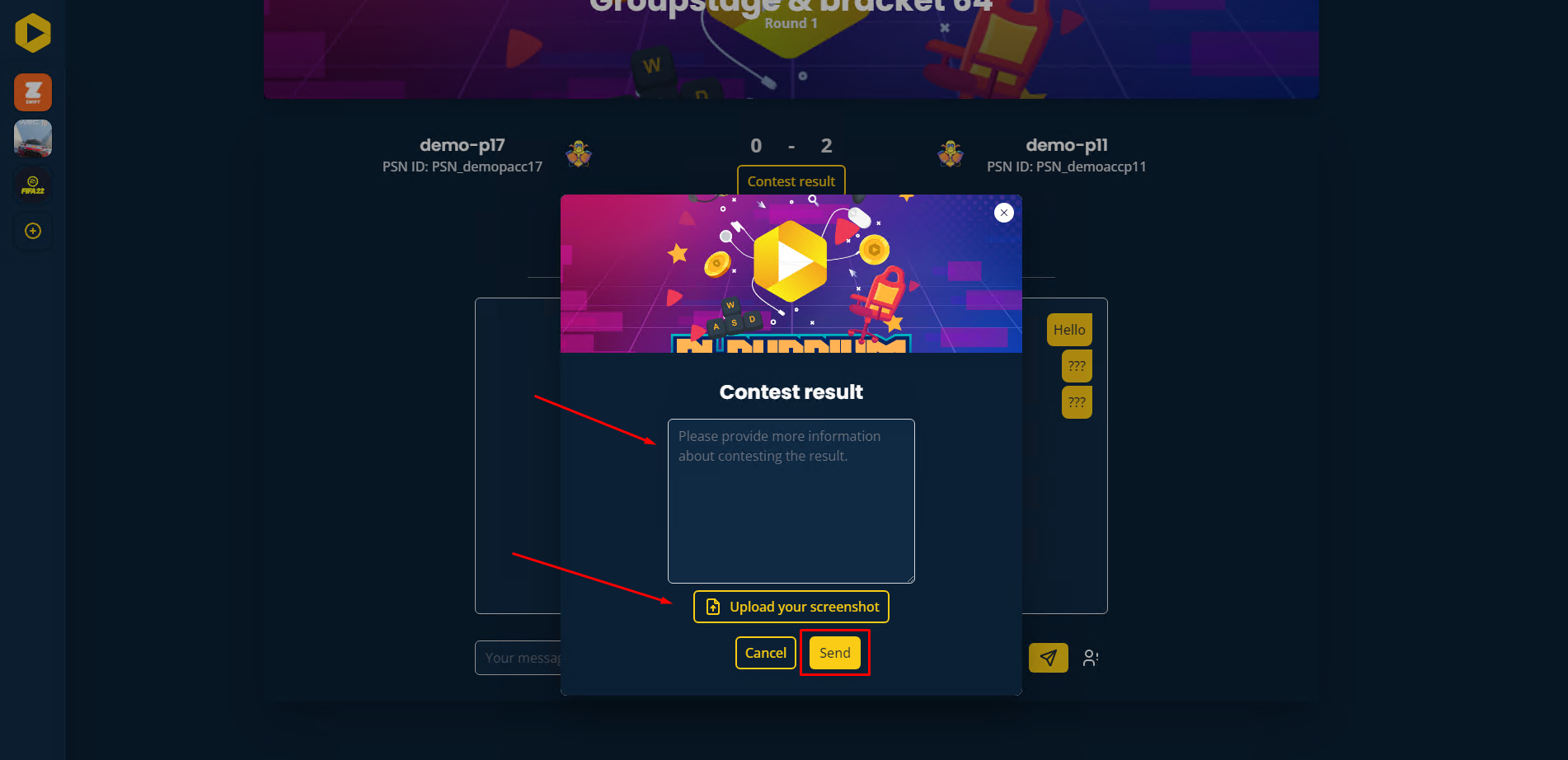
- The admin will receive your contest and make a decision within 3 minutes. For further assistance, you can join the discussion on Discord.
For Offline Tournaments
For offline tournaments, please approach the tournament admin directly to explain your situation and contest the result.
Want to go further?
If this guide covered it, great. Want to dig deeper? The team is one message away.

