Create My Account
Playorium account setup is quick: sign up with Discord, Twitch, Google, or email, verify your address, then explore tournaments and platform features today.
Creating an account on Playorium is quick and straightforward. Follow these steps to get started:
Step 1: Begin the Registration Process
- Go to the Playorium homepage.
- Click the Sign Up button in the top-right corner of the page.
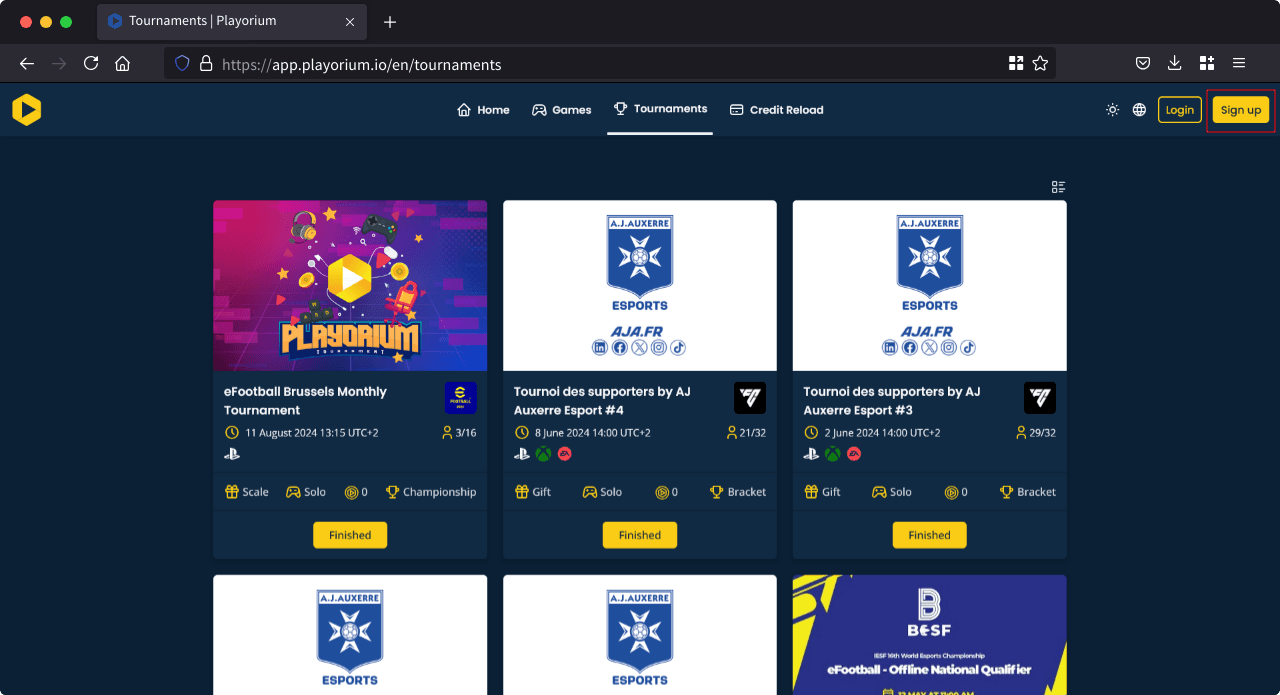
Step 2: Choose Your Registration Method
You have several options for creating an account:
- Via Discord
- Via Twitch
- Via Google
- Via Email
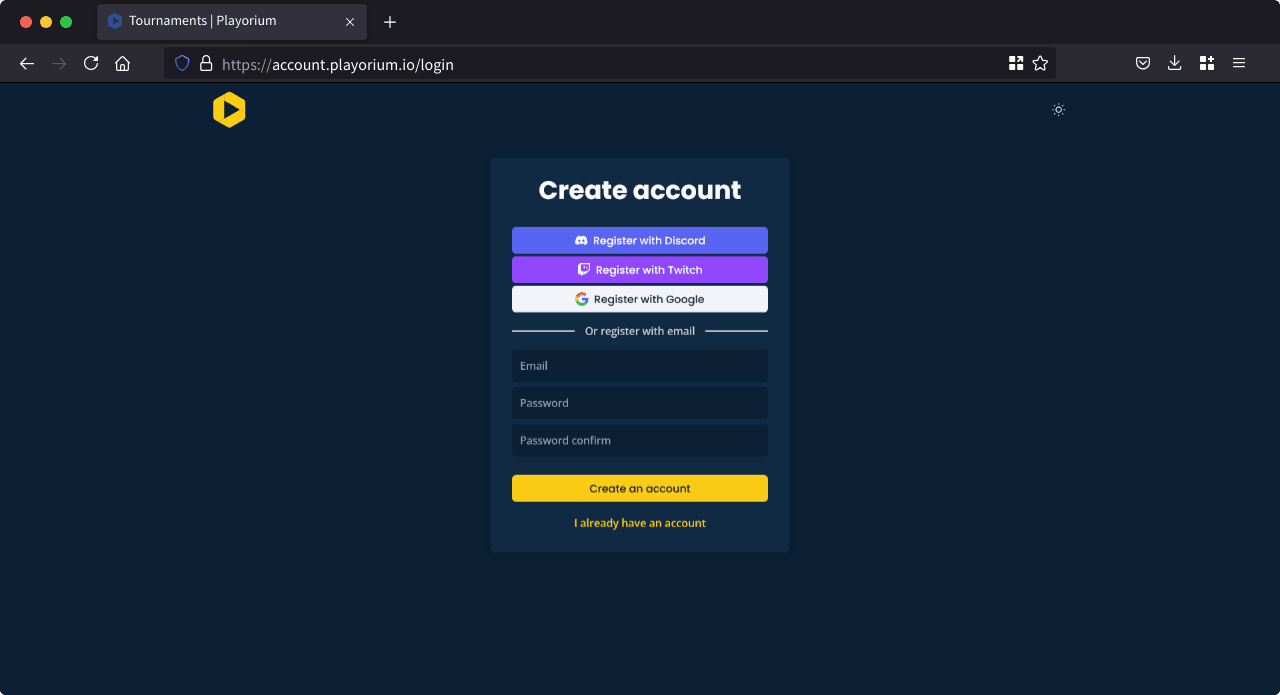
Step 3: Complete the Registration
- Using Discord, Twitch, or Google: Your account will be created automatically, and you’ll be ready to start using Playorium right away.
- Using email: You will receive an email containing a confirmation link. Check your spam folder if it doesn’t appear in your inbox. Click the link to verify your email address and complete the account creation process.
Once you’ve followed these steps, your Playorium account will be set up and ready for you to explore tournaments and other features!
Want to go further?
If this guide covered it, great. Want to dig deeper? The team is one message away.

